

















Desktop Defender Direct Download:
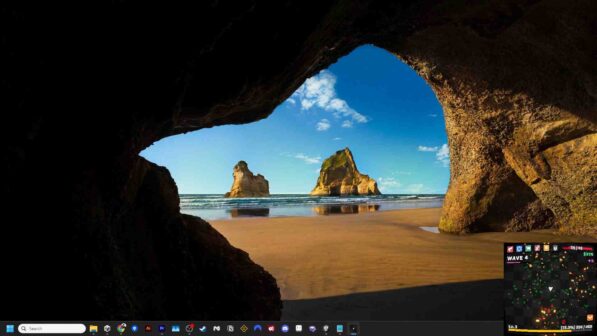
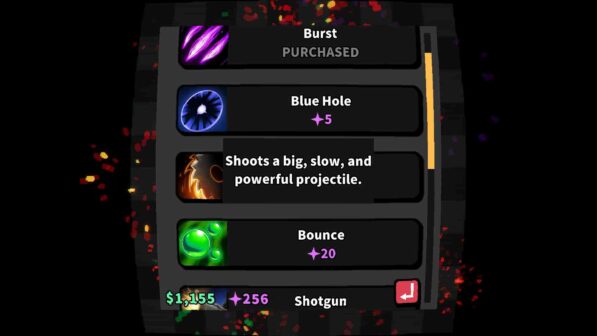
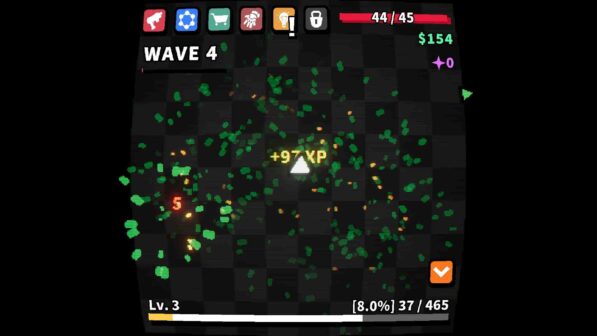
Defend your desktop in this idle auto-battler that sits quietly in the corner of your screen. Fend off endless waves of enemies, upgrade your lone tower, and grow stronger across ascensions while you go about your day. Gain XP, level up, and earn rewards such as permanent upgrades, powerful loot, or new weapons. Enemies drop rare gear with huge bonuses. Equip the best and create broken builds. Reset your run to earn Ascendium, unlocking cross-ascension upgrades that boost your progress. Runs in a small corner of your screen so you can work, browse, or game while defending. Adjust size and position to fit your setup. Stay passive or play actively. It’s up to you!
This game has a really good concept: playing while doing something else, allows for a break from time to time because at some point you have to upgrade and ascend, and has rather satisfying visuals. The mechanisms are one of the most basic among all defender games, and there’s long progress to do. This game can range from very accessible to very detailed because there are settings that allow one or the other, which is a great plus for those with visual impairments.
Features and System Requirements:
- You earn XP and money by defeating enemies, which you use to unlock permanent upgrades, new weapons, and gear drops with big bonuses.
- Customize how it sits on your desktop: you can change the size and position of the window so it “runs quietly in the corner while you work or browse.
- Loot system: Enemies drop rare gear and weapons with big bonuses, opening up “broken builds” as you upgrade.
Screenshots

System Requirements
Requires a 64-bit processor and operating system
OS: Windows 10/Windows 11
Processor: Intel Core i5 or AMD equivalent or above
Memory: 4 GB RAM
DirectX: Version 11
Storage: 10 GB available space
Support the game developers by purchasing the game on Steam
Installation Guide
1 :: Download Game
2 :: Extract Game
3 :: Launch The Game
4 :: Have Fun 🙂